Trending
 Sakunth
 5 min read
July 16, 2026 | 5:30 PM
Move from pixel pusher to AI orchestrator. Learn how vibe coding bridges the gap between Figma and live code, letting UX designers build and deploy functional prototypes without writing syntax.
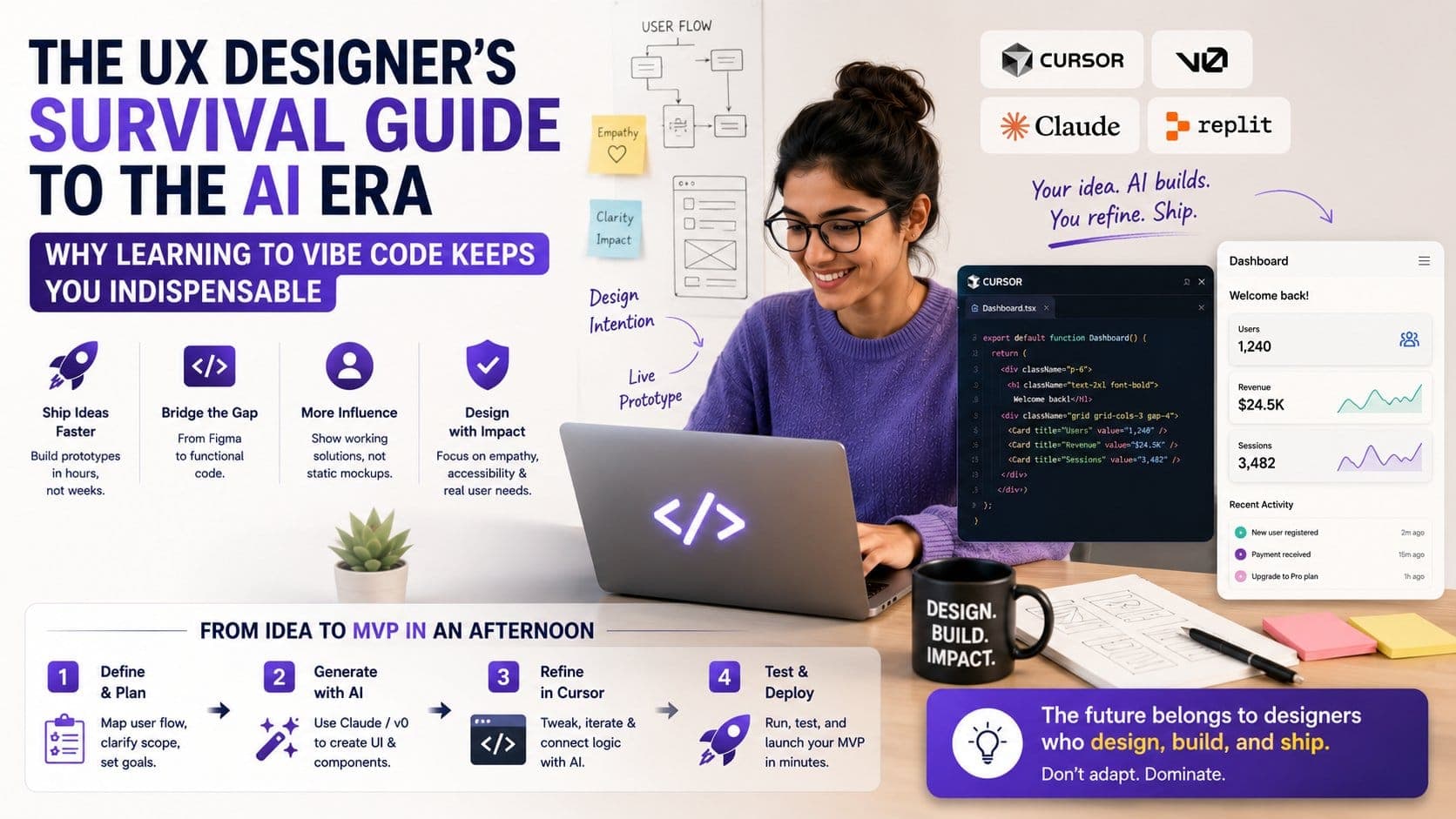
As a UX designer, Vibe Coding is your invincible tool. Traditionally, designers are people who submit 2D designs to the developer team for approval. However, even after getting approval, the final prototype can look very different from the design that you submitted. Through Vibe coding, you can make a prototype of your design beforehand and make tweaks if needed without sending a 2D file for approval now and then. In the AI era, waiting for approvals for weeks is already unsustainable. You need to take advantage of AI tools and platforms to increase productivity and adapt a systematic workflow.
Here is a detailed UX Designer's Survival Guide to the AI Era:
The usual process of getting a good product on your table involves a designer designing the product with a static 2D mockup in Figma. Then, the design is handed over to the developer with notes so that the product can come to life. The developer would then design the product with minor tweaks so that the design does not hamper the quality and practicality of the product. The final product that came out was almost very different from the design shared; the idea of the design was lost in translation.
While the process seems straightforward, it is full of loopholes and very slow. In 2026, with the rise in AI, tools like Cursor, v0, Claude, and Replit allow you to describe a user flow, and the AI generates a functional, interactive prototype instantly. Gone are the days when you had to wait weeks and weeks for the developer team to come up with a prototype based on your design; now you can do it yourself and see if the design works.
“Vibe Coding” means coding at the level of intent and logic rather than syntax. As a developer who uses vibe coding, you articulate your vision, constraints, and user context so you can use AI as a junior developer to produce good products using the assistant mechanism.
UX designers are actually naturally wired to be incredible vibe coders. Why? Because you already understand the fundamentals of great software:
Vibe coding is simply translating these exact UX principles into prompts that guide the AI to build the right thing.
Every designer is aware of how minor changes can bring down the feel of a design. When you spend hours perfecting a component, you want to see it as it is in the final product prototype, but things will always look different because of tweaks made by the developer team. The minor changes made to your design can be because of several reasons, including Technical difficulties or tight deadlines.
Vibe coding bridges this chasm permanently. Instead of handing a developer a link to a static Figma file and hoping for the best, you can now hand them a working frontend prototype. Instead of providing remarks on the design, you can now show a live app that actually processes data, triggers animations, and responds to user inputs. Check out the PrepBytes Claude AI for Vibe Coding program!
This dramatically increases your leverage and authority in product discussions. You are no longer just proposing an idea; you are proving it.
The tools of the trade are evolving rapidly. While Figma remains an excellent playground for visual exploration, the modern UX toolkit now includes LLMs (Large Language Models) and AI-native code editors.
To thrive, you need to build a new kind of stack:
| Tool Category | What You Use It For | Examples |
| Visual Sandbox | Brainstorming, moodboarding, and layout exploration. | Figma, Penpot |
| AI Generation | Turning text and sketches into instant UI components. | v0.dev, Component AI |
| AI Editors | Tweaking, refining, and running live code with AI help. | Cursor, VS Code + Copilot |
You don't need to have a PhD in Mathematics or a degree in Computer Science to use these editors and applications; you just need to understand the basic structure and concepts. You should know what a component is, how state changes when a user clicks something, and how an API fetches information. When you understand these foundational building blocks, your prompts become incredibly precise, and the AI’s output becomes flawless.
Instead of generating a generic application, you need to create apps that understand the workings of a human mind, along with having a very simple UX, the exact thing that AI cannot do. This is exactly why human UX designers remain indispensable. As the cost of generating software drops to zero, the world will be flooded with millions of AI-generated, generic apps.
Your job will shift from creating layouts to curating, auditing, and refining AI outputs. You will be the one responsible for "designing the invisible":
AI is not taking your job, but you need to adapt your working style in a way that is complementary to the new era. You need to use artificial intelligence regularly to increase your productivity and overcome the loopholes in design and development. You can leave the repetitive and boring tasks to AI and work as a manager to increase productivity and adapt an efficient workflow.
Don't wait for your workflow to be automated away. Open up an AI code assistant today, type out a user flow you've been dreaming about, and start vibe coding. The future of product design belongs to those who aren't afraid to build what they imagine.