Trending
 Sakunth
 6 min read
July 10, 2026 | 1:41 PM
Building a website no longer requires coding. By using modern AI tools and structured prompts, you can design a custom site, generate the code, and launch it online for free in just a few clicks.
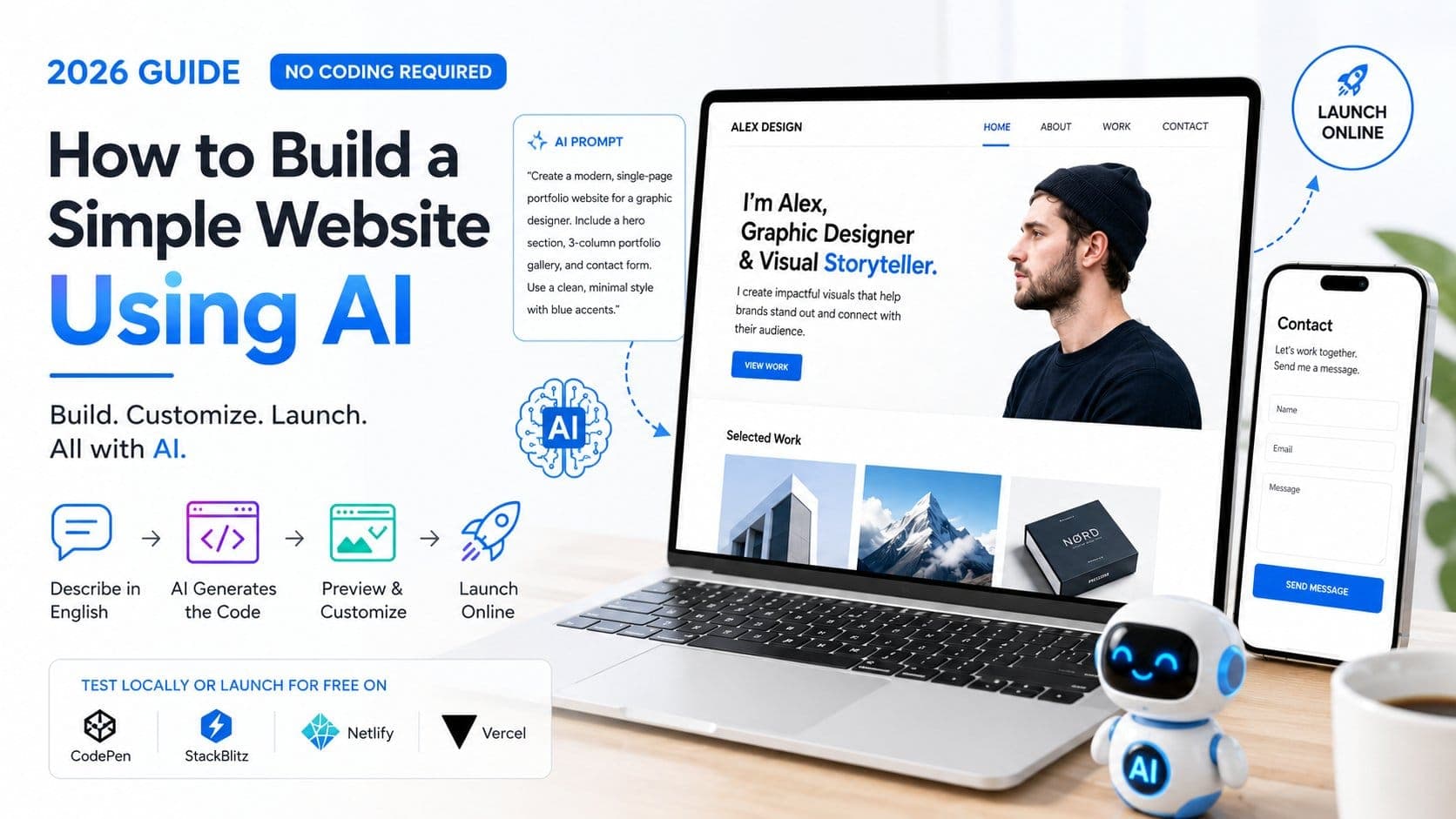
In 2026, you do not really need coding to build a simple website. Because of unlimited access to AI tools, you can give a prompt in simple English to the AI tool of your choice and have it build a single-user website for you. You do not need to spend days on end in front of your computer learning Python and compiling code and then spend hours and hours debugging it. By giving a detailed prompt to your favourite AI tool, you can generate a code that is later pasted into platforms to help you get your website up and running.
Here is how to build a simple website using AI without coding.
Because of AI tools and AI integration into coding and the tech space, you do not need to learn an entire language to build a simple website. Honestly, in 2026 you don't even need to code to build a simple website with basic features.
If you are using a pure LLM (Large Language Model) like ChatGPT, Claude, or Gemini to get raw HTML/CSS code, the quality of your website depends entirely on the specificity of your prompt.
To get the best results, structure your prompt using the Role-Context-Task-Constraints framework:
The Prompt Template:
*"You are an expert frontend web designer specializing in clean, high-converting modern UI. I need you to write the code for a single-page portfolio website for a freelance graphic designer named Alex.
Sections required:
A minimalist hero section with a bold headline and a 'View Work' CTA button.
A 3-column portfolio gallery grid (use beautiful placeholder images from Unsplash).
A clean contact form.
Style Guide: Use a monochrome color palette (deep charcoals and crisp whites) with a bright neon blue accent color for buttons and links. Use a modern sans-serif font stack.
Technical Constraints: Deliver this as a single, self-contained index.html file. Include all CSS inside a <style> tag in the <head>, and any interactive JavaScript (like smooth scrolling or form validation) in a <script> tag at the bottom. Do not use external framework dependencies like Bootstrap unless using a CDN link."
No one likes repetitive administrative tasks that take hours to complete and lots of manual labour.
After asking your AI tool to generate a mountain of code, the next step is to think about where to paste that code to make a website. There are actually 3 ways to look at it:
Netlify or Vercel: If you have your index.html file saved on your computer, you can go to Netlify, create a free account, and drag and drop the folder containing your file into their dashboard. As a result, you will get a free live public URL that you can share with your friends and family to check and review your website on the internet.
While you can easily build a sample website with AI, it is extremely important that you have a real developer on board if you want to build one for your business and if you're dealing with confidential data and want to build a massive website to store it.
At the end of the day, AI cannot help you with innovation; it can only build things that already exist and modify them to meet your needs. While it is very easy to build a single-user website or application using AI, it would be difficult to build something large and reliable alone.