Trending
 Rupsa Chakrabarti
 4 min read
August 13, 2026 | 11:20 AM
Terminal-based AI coding agents like Claude Code, Aider, and Goose allow software engineers to refactor codebases and execute shell commands directly from the CLI, boosting developer output and pay.
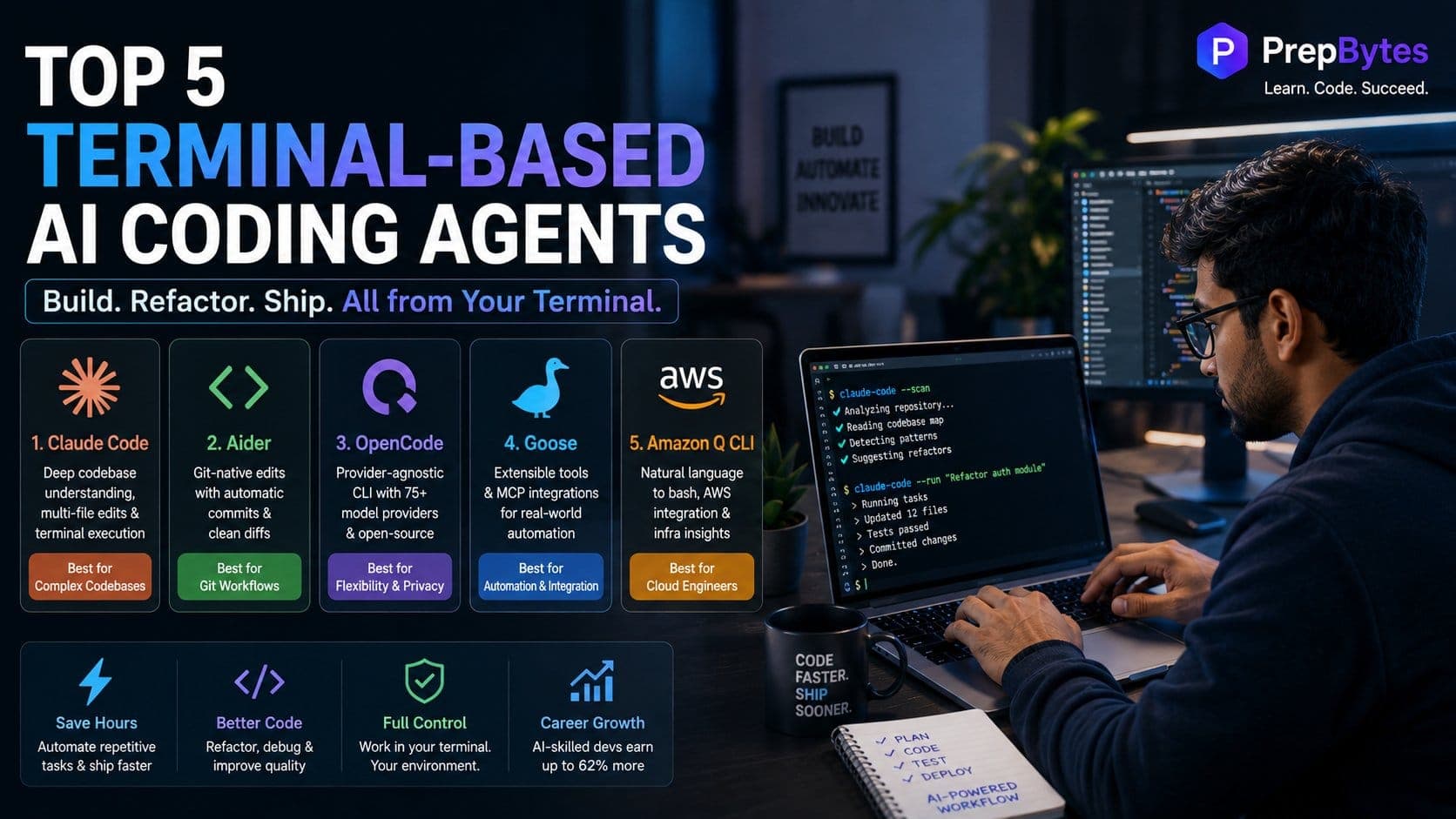
If you are a developer spending hours copying and pasting codes from a web browser into your IDEs, you are falling behind your peers. While junior developers fritter away time switching between chat apps and code editors, modern engineers dive straight into the command center, i.e. the terminal. They leverage smart AI tools to update entire folders of code, run computer commands, and save progress automatically—all without clicking on a mouse.
In today’s fast-paced tech industry, a software engineer who types out every single line of code by hand holds little to no value. With artificial intelligence taking over, engineers who know how to use and direct intelligent AI tools to get the job done are high in demand. Recent studies reveal that AI-skilled tech workers earn up to 62% higher salaries.
If you are aiming for a high-paying software job, here are the top 5 terminal-based AI coding tools to speed up your work and boost your career.
Moving your AI workflows into the terminal lets you build software much faster and with minimal manual efforts. Take a look at the 5 best terminal-based AI assistants, what they do best, why they are useful, and who should use them:
| AI Agent | Core Focus | Why You Need It | Best For |
| 1. Claude Code | Multi-file repository edits, deep bug hunting, and terminal execution | Features a 1M-token context window and sub-agent orchestration to analyze, edit, run tests, and refactor code in one loop | Developers managing complex codebases who want a true autonomous CLI pair programmer |
| 2. Aider | Git-native file editing and automated commit tracking | Uses Tree-Sitter repository mapping and automatically creates clean Git commits for every accepted code change | Developers who want tight control over code diffs, clean commit histories, and model flexibility |
| 3. OpenCode | Provider-agnostic CLI development and team agent workflows | Allows plugging in 75+ model providers (Anthropic, OpenAI, DeepSeek, local via Ollama) with zero vendor lock-in | Privacy-focused developers and open-source enthusiasts who want total model freedom |
| 4. Goose | Extensible tool use, system automation, and workflow integration | Built on the Model Context Protocol (MCP) to connect directly to databases, browsers, and external APIs from the CLI | Full-stack developers and DevOps engineers who need AI agents that interact with external services |
| 5. Amazon Q Developer CLI | Cloud infrastructure, shell command generation, and AWS SDK integration | Translates natural language into bash commands, inspects AWS resources, and generates IAM policies safely | Backend developers, cloud engineers, and students aiming for cloud-focused engineering roles |
It’s great if you know how to run basic terminal commands, but here’s the truth—leading tech companies across the globe are no longer looking for developers to just install software tools. They want engineers who can manage full systems, structure the project background, and orchestrate AI workflows.
If you don’t know how to structure large datasets, set up MCP servers, or link AI models directly to your backend databases, your resume will likely get missed as recruiters prefer candidates who can independently build and launch applications.
To bridge the gap, check out the PrepBytes Claude AI for Vibe Coding Program that cuts out old-school theory and focuses on practical skills—learn how to direct advanced AI coding assistants, manage real-world data pipelines, and deploy production-ready software using modern terminal tools.
Here’s a quick look at how the top 5 terminal-based AI coding agents stack up against each other, so you know exactly which tool to use and when:
| AI Agent | Best For | Model Support | Standout Feature |
| Claude Code | Complex multi-file refactoring | Anthropic Claude | 1M-token context & sub-agent execution loop |
| Aider | Git-integrated pair programming | 100+ Models (BYOK / Local) | Auto-commits every edit with clean diff logs |
| OpenCode | Open-source flexibility | 75+ Providers | Fully open-source TUI with zero vendor lock-in |
| Goose | Extensible automation | Multi-provider | 70+ MCP extensions for DBs and APIs |
| Amazon Q CLI | Cloud & terminal commands | Claude via Bedrock | Natural-language-to-bash translation & AWS integration |
Shifting from web chat apps to terminal-based AI tools requires you to change the way you work. Instead of coding line-by-line, choose a terminal, like Claude Code or Aider, link it to your project folder, and start feeding it clear rules and project context. Combine these AI tools with strong programming logic, publish your projects online, and make sure your resume has links to your working GitHub projects right at the top for recruiters to see.