Trending
 Rupsa Chakrabarti
 7 min read
August 5, 2026 | 4:26 PM
Stop wasting time pasting background context into ChatGPT. Claude Projects gives your entire team a shared knowledge hub to keep brand tone, internal files, and AI answers consistently on-point.
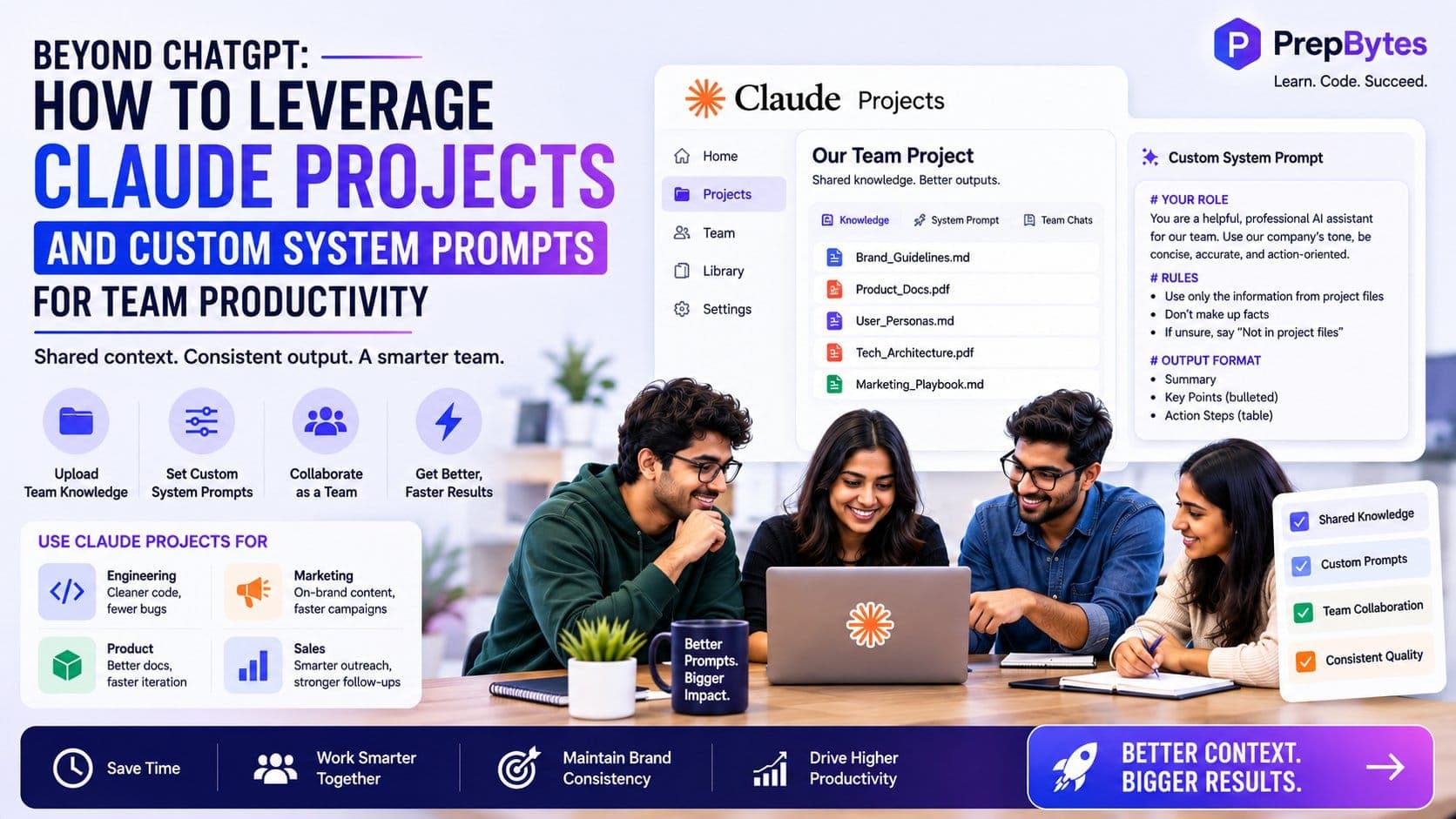
To get the best out of an AI tool and improve efficiency, you need to move beyond ChatGPT. An AI tool will not provide you the best output unless and until you provide it context, but this context only works during one window, which means you have to provide the context again and again to drive out results. If one or more people are working on the same project, then their outputs will vary because of how incompetent ChatGPT is. This is where Claude comes in: Claude Projects and Custom System Prompts allow you to work together with your teammates.
Here is how to leverage Claude projects and Custom System Prompts to boost team productivity:
When people first start using AI tools like ChatGPT or basic Claude, they use them like a simple search bar. Someone opens a fresh window, types a quick question, gets an answer, and closes the tab.
While this works fine for a single person trying to fix a single problem, it creates big headaches for a whole team. When everyone uses AI in their own private chat tabs, information gets stuck in separate places. Two people working on the same project might ask the AI for help and end up with completely different results. One person might get a short, professional response, while another gets a long, casual one. Managers then have to spend extra time fixing, rewriting, and checking these outputs so everything looks uniform.
The biggest waste of time in daily AI use is having to repeat basic background information. Every time you open a brand-new chat tab, the AI forgets everything about your company. It does not know your brand rules, target audience, product features, or tone of voice.
This means employees have to manually copy and paste background information into the chat before they can even ask their actual question.
When work gets busy, people skip these extra steps. They paste raw questions without any background context. As a result, the AI gives back generic, low-quality answers that do not sound like your brand. Repeating these setup steps dozens of times every day slows down work and frustrates employees.
To get real value out of AI, teams must stop treating it as a personal trick and start building shared systems. Success is not about teaching every employee to write fancy, complex prompts. Instead, it is about setting up a shared space where company background information, tone guidelines, and instructions are saved automatically.
When you save your context once, any team member can type a quick question and get a high-quality answer immediately.
Claude Projects is a feature that gives your team a shared space to work together. Instead of starting from zero with every fresh chat, a Claude Project keeps three key things saved in one spot:
Think of a Claude Project as a new team member who has already read all your company handbooks and knows your internal processes on day one.
The answers you get from AI are only as good as the information you feed it. Claude Projects allows you to upload up to 200,000 words of background reading directly into the workspace.
| Department | What Files to Upload | How It Helps the Team |
| Engineering | Coding style guides, system layouts, tech rules. | Ensures generated code matches your exact system setups. |
| Marketing | Tone guides, target profiles, past top-performing ads. | Keeps all writing on-brand without needing manual edits. |
| Product | User story templates, feature lists, competitor notes. | Creates standardized product documents automatically. |
| Sales | Sales scripts, common customer complaints, pricing lists. | Drafts quick, accurate follow-up emails for potential clients. |
Claude can read massive amounts of text at once, but throwing messy files into the project will confuse it. To get clear answers, keep your files clean and organized.
Claude Projects keeps your team's work in one safe space. When a team member discovers a prompt that works really well, everyone else in the project can see it and use it. This makes it easy for junior staff to learn from senior colleagues, improving the entire team's skills automatically.
A standard prompt gives the AI a short, one-time task (like "Fix the grammar in this email").
A System Prompt acts as the overarching instruction manual for the whole workspace. It sets permanent boundaries for how the AI must behave, what tone it should use, and how it should format answers across every chat in that project.
A strong System Prompt should be split into simple, direct sections:
Markdown
# YOUR ROLE
You are a Senior Technical Writer for our software products. Your tone is simple, clear, and direct. Avoid buzzwords like "game-changing" or "revolutionary."
# RULES & BOUNDARIES
1. Use only the features listed in the saved Project Knowledge files. Never make up new features.
2. If an answer cannot be found in the files, say: "This information is not in the project files."
3. Keep sentences short and easy to read.
# FORMATTING INSTRUCTIONS
- Format your final output as a clean Markdown list:
- ## Main Summary (2 simple sentences)
- ## Key Changes (Bulleted list with **Bold Titles**)
- ## Action Steps (Simple table: [Who | Task | Due Date])
# HANDLING PROBLEMS
If the user gives you conflicting data, list the mistakes under a "## Warning" heading before writing the rest of the answer.
System Prompts remove the guesswork for your employees. Team members no longer need to figure out complex instructions on their own. By embedding clear rules directly into the Project, a brand-new hire and a seasoned manager will get back the same high-quality, professional results.
Dev teams can upload their coding guides and system blueprints into a Claude Project. When a developer needs help, the AI generates code that directly follows company rules, reducing bugs and saving time during code reviews.
Marketing teams can upload tone guides and example articles. The AI can then turn one long whitepaper into blog posts, social media updates, and email campaigns that all sound like they were written by the same person.
Sales reps can paste raw call notes or audio transcripts into a project. The AI automatically pulls out key customer pain points, budget details, and next steps, matching the exact format required by the company's customer database.
To set up your first successful project, follow four easy steps:
To keep your project working smoothly:
Working as a team requires a shared space where you can share information and then get the best output. It is important to move beyond ChatGPT and take advantage of other complex AI tools to get the best results.