Trending
 Rupsa Chakrabarti
 6 min read
July 31, 2026 | 5:15 PM
AI testing tools use LLMs to analyze context, catch edge cases, and explain fixes in plain English. Use tools like CodeRabbit and ZZZ Code AI to debug snippets instantly and automate PR reviews.
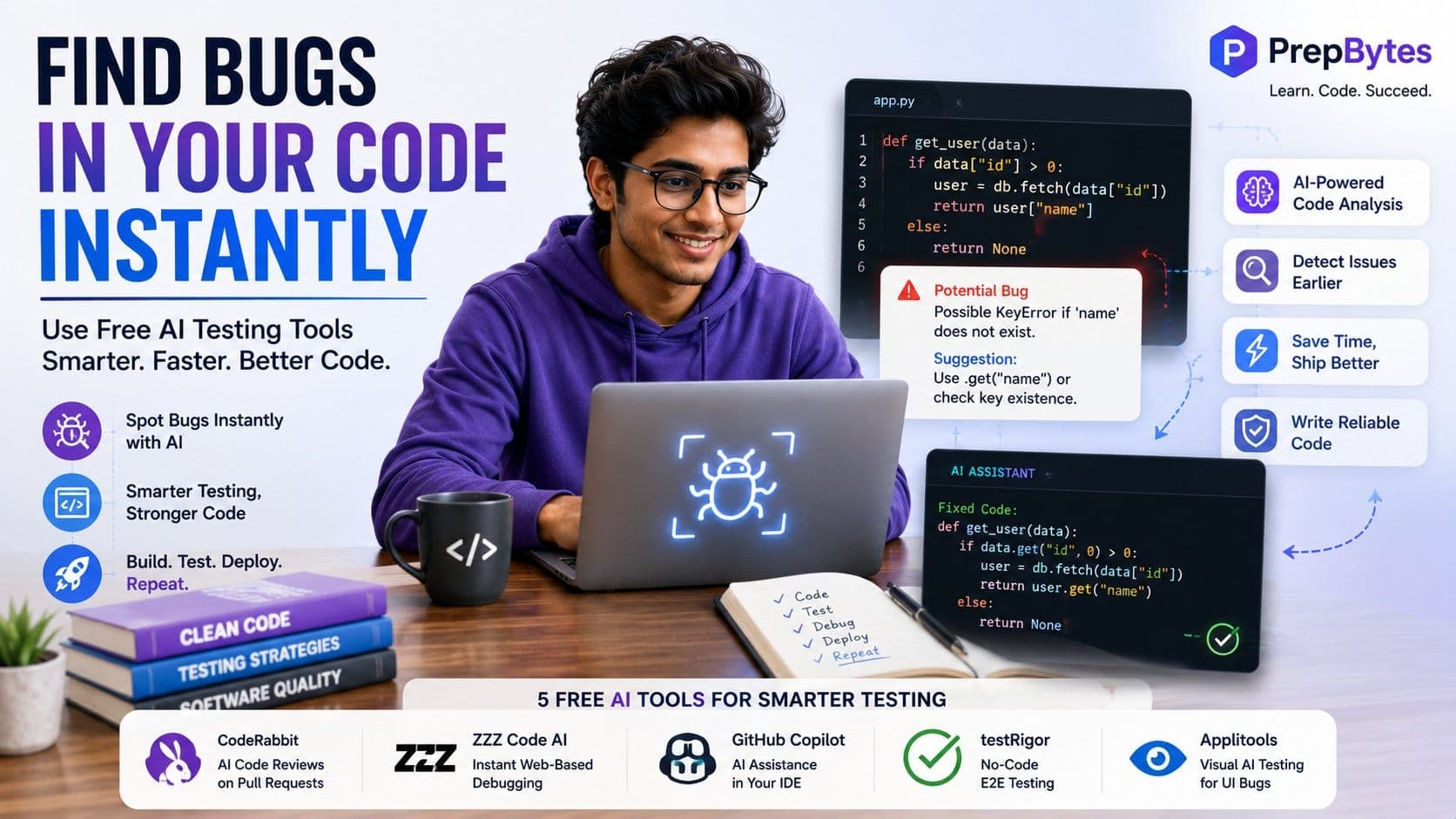
Traditionally, debugging software needed hours of dedication and staring at the computer screen. Now, with AI testing tools, debugging has become easier than ever. Rather than spending hours, developers can use external AI testing tools to debug the software in a matter of a few minutes. Promising AI testing tools act as your assistant during coding; they will provide real-time support by checking your code as you type, finding subtle logical flaws, developing comprehensive test cases, and automatically scanning pull requests before bugs ever make it into production.
Here is how to use AI testing tools to find bugs in your code instantly:
Unlike traditional static analysis tools, modern tools work on LLMs and machine learning algorithms, which give them three advantages:
You do not need a large budget to start using AI as your software assistant. Several AI tools provide features for individual development to debug:
CodeRabbit blends seamlessly into your GitHub or GitLab repository to provide automated, line-by-line code inspections on every Pull Request (PR).
When you need to debug an isolated function without setting up extensions or repositories, ZZZ Code AI offers rapid online code analysis across dozens of languages.
Integrating AI directly into your code editor provides instant feedback as you write, preventing bugs from ever being committed.
Testing front-end applications and user workflows usually requires complex automation scripts using Selenium or Cypress. testRigor simplifies this through AI-driven natural language processing.
This is to ensure that your program is visually appealing and there is no overlapping text, misaligned CSS, or broken responsive layouts. Applitools uses Computer Vision AI to spot visual anomalies automatically.
To get the most out of the tools, you need to integrate them into your debugging process:
Before saving your file, run an AI pre-check directly inside your code editor. Highlight new or refactored functions and prompt your inline AI extension:
"Audit this function for unhandled promises, memory leaks, missing null checks, or incorrect type assertions."
Resolving potential flaws at this stage stops simple errors from compounding down the line.
When an error occurs during local testing or build compilation, don't waste time tracing call stacks manually. Isolate the problematic function and pass it to an AI debugger alongside the complete terminal stack trace.
Always provide three key pieces of context:
Even after your problem has been fixed, you need to verify that the fix is powerful. Ask the AI to generate a set of unit tests targeting boundary conditions:
"Write three Jest unit tests for this revised function. Focus specifically on handling empty arrays, unexpected string inputs, and network timeout errors."
Connect tools like CodeRabbit to your code repository's Continuous Integration (CI) pipeline. Every time a developer opens a pull request, the AI will automatically scan the code diff for subtle logic flaws, security vulnerabilities, and performance bottlenecks, posting feedback directly into the pull request comments.
To get good suggestions, you need to have a good prompt. If you give a simple prompt to the AI tool, then it will run a vague operation and will not give you good results. Use this structured prompt template when submitting code to AI debugging tools:
Plaintext
Act as a Senior Software Engineer specializing in [Your Stack, e.g., Python/Django].
Context:
- Environment: Python 3.11, PostgreSQL
- Goal: Process bulk array data and insert unique records into the database.
Problem:
- Expected Outcome: Successfully batch-insert unique records without crashing on duplicates.
- Actual Outcome: Throws 'IntegrityError: duplicate key value violates unique constraint' under heavy load.
Stack Trace:
[Paste error log here]
Code Snippet:
[Paste snippet here]
Tasks:
1. Pinpoint the exact root cause of the error.
2. Identify any subtle race conditions or performance risks.
3. Provide a corrected, production-ready version of the code with added error handling.
Remember that AI cannot fully replace a human being, so you need to understand that AI will work as your assistant, not as a developer itself:
With the help of AI tools, you can eliminate the need to manually debug the code and spend hours just to catch a simple syntax error.