Trending
 Sakunth
 5 min read
July 22, 2026 | 4:36 PM
Tired of AI tools generating buggy code? Discover how context customization—giving AI clear project rules, updated docs, and strict boundaries—helps you fix errors and write clean code faster.
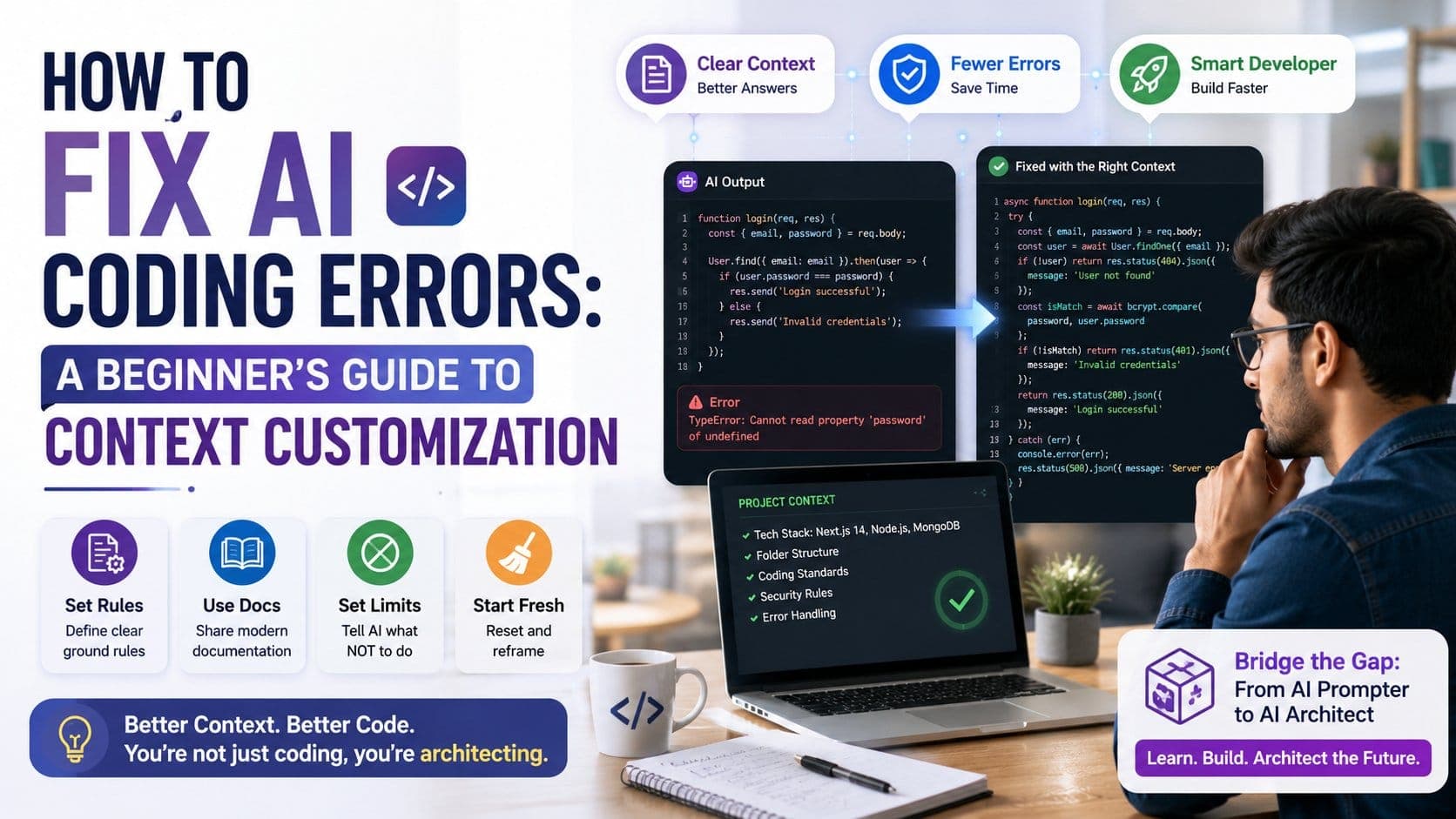
Are you a final-year student or a fresh graduate stepping into the tech job market? Then you need to wrap your head around the fact that companies will not be paying you to memorize Python syntax or write basic CRUD applications. AI agents are much faster and more efficient in generating boilerplate code in fraction of seconds.
However, there’s a major downside of these AI coding tools: they often make things up, use outdated code, and leave you trapped with broken software.
When AI generates broken code, junior developers simply complain about the tool not working. Smart professionals know exactly how to give the AI the right instructions, background, and limitations—a trick known as “context customization”. Mastering how to guide an AI with the right context is what distinguishes amateur coders from highly-skilled software engineers.
Don’t worry if you’re just a beginner—this is your guide to fixing AI errors and getting it to write reliable code.
In order to fix an AI coding error, you first need to understand why it occurred. AI tools, like ChatGPT, Claude, or GitHub Copilot don’t really understand your codebase. They basically predict the next most probable word based on the billions of code available across the internet.
When you type a vague instruction like: "Write a login authentication flow using Node.js", you don’t give the AI any specific set of rules to follow.
Since the AI relies largely on the whole internet, it might combine an outdated coding method from back in 2017 with a brand new database format. The result would be a messy "Frankenstein" code block that crashes completely when you run it.
Here’s a reality check—although AI tools can help you build things up to 55% faster, giving unclear or imprecise instructions actually takes up a lot more time in the long run fixing mistakes. The AI would be making wild guesses without knowing your exact project setups and folder rules. This is where you need context customization—feed it clear, precise instructions step-by-step so it can take it all in and fix the error promptly and accurately.
Context customization is a simple practice, where you feed all the information and rules to the AI before asking it to write code for your project. So, instead of random guesswork, the AI is handed over the complete instruction manual which tells it:
Once you set these boundaries for the AI, it quits all the guesswork and learns to work inside a defined, controlled environment where it actually gives you the right answers.
Here are 4 beginner-friendly, easy steps to fix AI coding errors:
| Step | What to Do | Why It Works | Example / Best Practice |
| 1. Set Up Ground Rules | Create a basic instruction file (like a .cursorrules file) in your project that tells the AI your preferred tech tools, style, and rules every time it opens. | Stops the AI from guessing or using outdated tools, eliminating up to 80% of silly mistakes. | Rule: "Only use Next.js 14, never use old React code, and always add error checks for every database request." |
| 2. Share Modern Docs | Paste recent official manual pages or library documentation directly into your chat window before asking for code. | Prevents the AI from making up non-existent features when working with brand-new software updates. | Prompt: "Using ONLY the instructions from this attached document, fix our login system." |
| 3. Tell It What NOT to Do | Give the AI clear "negative rules" so it knows what shortcuts or tools it is forbidden to use. | Stops the AI from taking lazy shortcuts or breaking five existing features while trying to fix one bug. | Weak: "Fix this bug." Strong: "Fix this bug. Do NOT install new software packages. Do NOT change my current database file." |
| 4. Wipe the Slate Clean | If you get stuck in a loop of broken code, close the current chat and open a completely fresh conversation window. | Clears the AI's memory so it stops getting confused by its own past mistakes. | Start a brand-new chat thread. Paste your clean code file, the exact error message, and tell it: "Explain why this broke before writing a single line of new code." |
Learning how to manage context rules and documentation feeds manually is only the first step. To stand out in the eyes of the recruiters, you must master full-stack AI orchestration. The PrepBytes Claude AI for Vibe Coding Program can help you look beyond standard textbook theories. Gain hands-on learning experience on how to build production-ready applications, handle advanced context architectures, and control AI development pipelines.
The tech industry has changed forever. Coders who are still stuck in the loop of memorizing documentation and manually writing boilerplate syntax will be the first ones to get replaced by those who know how to treat AI like a high-powered engine they can direct.
Stop treating AI as a magician who can build your entire project based on a simple request. Instead, define clear rules for it, feed it the information accurately, set strict boundaries, and take full control of the tools that are building the future.